
Market Leader in 1553 & ARINC Interface Cards and Real-Time Appliances

How can I tell what software version and/or Protocol Engine version I am running?

Welcome to the Alta Customer Download Area

Please Click on a Link Below…
Contact us at 888-429-1553 x2 or [email protected] for any questions.
By entering the download section, you agree to Alta Terms and Conditions, Warranties, and Cookies.
See Company/Polices and /Legal for more information.
Please let us know how we’re doing with a Survey!

Home / Article / How can I tell what software version and/or Protocol Engine version I am running?

For Alta API-based applications, the function ADT_L1_GetVersionInfo(…) is used to determine this.
This function is described in the AltaAPI Users Manual here: https://www.altadt.com/ReleaseDownloads/AltaAPI%20Users%20Manual.pdf

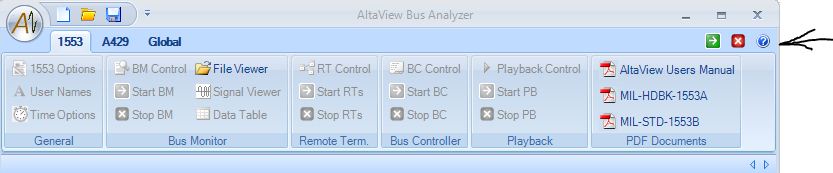
In the AltaView Analyzer, the software version of AltaView can be obtained by clicking the ? button in the upper right corner of the main AltaView window:
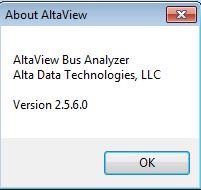
This will yield a software version information dialog box such as:
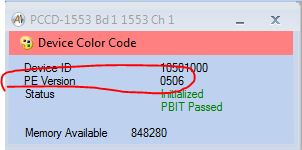
For the PE in AltaView, that information is displayed after you Open a Device, and looks something like:
Related Articles

This page requires users to be registered and logged in.

WELCOME BACK!

Below are the products that are in your cart. If you wish to remove any, please uncheck the corresponding checkbox.

Remove All sales request form

Your Cart

Below are the products that are in your cart. If you wish to remove any, please uncheck the corresponding checkbox.

Remove All sales request form

Alta Selected for Prestigious Award as Top Supplier & Technology Innovator

The Recognized Leader in 1553 & ARINC Interface Cards,
Real-Time Ethernet Converters, USB and Thunderbolt Appliances

MIL-STD-1553 and ARINC Top Products and Quality. Interface Boards, Ethernet Converters and USB Appliances